KNX Integration with Voice Assistants
Google Home, Amazon Alexa, Apple HomeKit: discover how to integrate your KNX installation with voice assistants for a smart home controllable by voice.
Voice Control for KNX
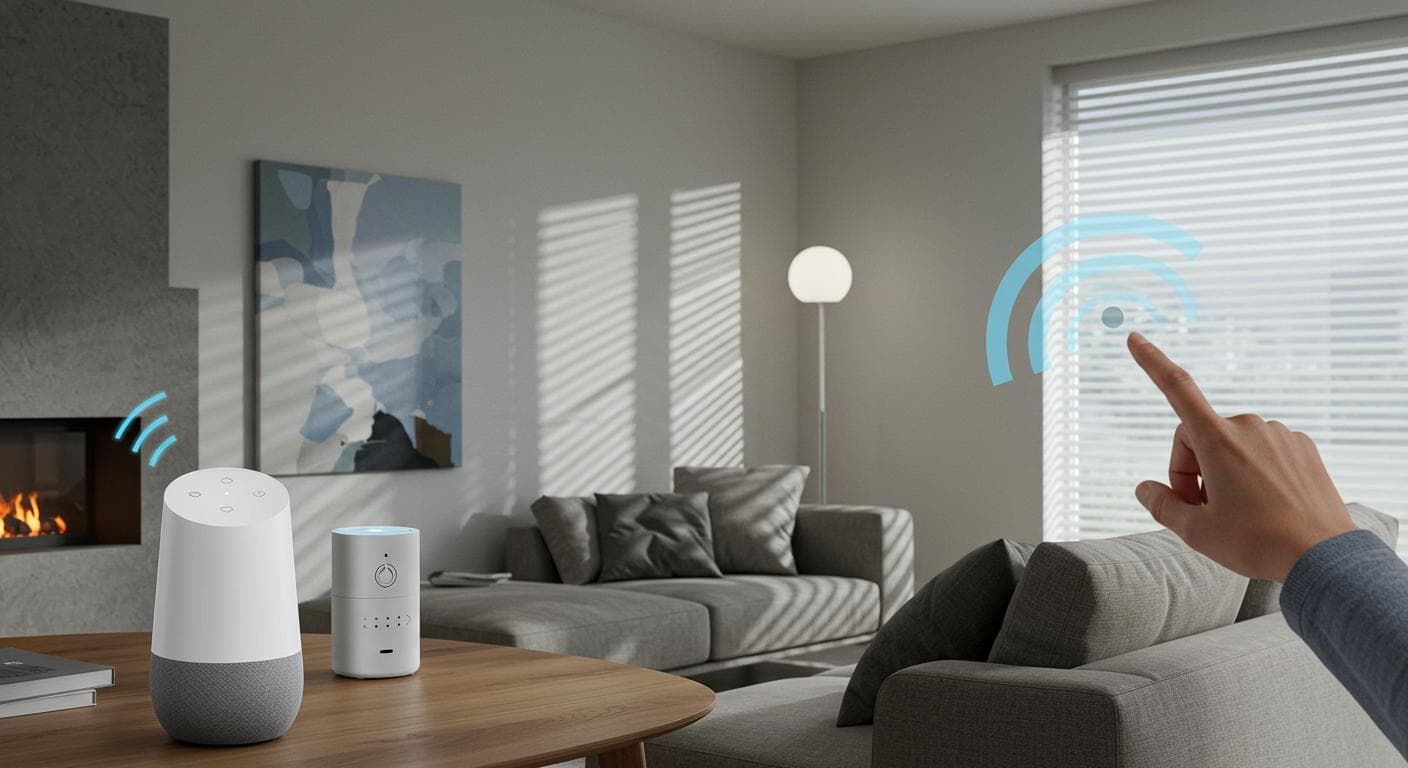
The integration of voice assistants with KNX offers a new dimension to your smart home. No need to search for your phone or get up to press a switch: a simple voice command is enough to control lighting, blinds, heating and activate your scenarios.
This integration combines the professional reliability of KNX with the simplicity of consumer voice assistants. The best of both worlds for an optimal user experience.
KNX-compatible Voice Assistants
Google Home
'OK Google, turn on the living room'
Amazon Alexa
'Alexa, close the blinds'
Apple HomeKit
'Hey Siri, cinema scene'
How Does It Work?
Integration requires a gateway that bridges the KNX bus and the voice assistant ecosystem. This gateway translates voice commands into KNX telegrams and exposes your KNX equipment in the assistant's application.
Integration Architecture
Google Home Integration
Google Home integrates with KNX through several certified gateways. Once configured, your KNX equipment appears in the Google Home app and is controllable by voice.
Google Home / KNX Gateways
- Thinka for KNX - Premium gateway, intuitive configuration
- 1Home Box - Economical solution, simplified installation
- Gira X1 - Complete server with native Google integration
- Jung Smart Visu Server - Visualisation + Google Home
Google Home Commands for KNX
Voice Command Examples
- 'OK Google, turn on the living room' → Living room lighting ON
- 'OK Google, set the light to 50%' → Dimming 50%
- 'OK Google, close all blinds' → Blinds DOWN
- 'OK Google, set heating to 21 degrees' → Setpoint 21°C
- 'OK Google, activate cinema mode' → KNX scenario
- 'OK Google, good night' → Custom routine
Amazon Alexa Integration
Amazon Alexa offers flexible integration with KNX through dedicated skills. Alexa routines allow triggering complex KNX scenarios with a single voice command.
Alexa / KNX Gateways
- 1Home - Dedicated Alexa skill, quick configuration
- Thinka - Complete Alexa integration + routines
- Jung/Gira via cloud - Connection via cloud services
Alexa Routines for KNX
Alexa routines allow creating powerful automations combining voice commands, schedules and sensors with your KNX equipment.
Routine 'Good Morning'
'Alexa, good morning' → Opens bedroom blinds, lighting 30%, weather announcement, coffee machine ON
Routine 'I'm Leaving'
'Alexa, I'm leaving' → All lights OFF, eco heating, blinds solar protection
Apple HomeKit Integration
Apple HomeKit offers the most secure integration with KNX. All your KNX equipment appears in the Home app and is controllable via Siri on iPhone, iPad, Apple Watch and HomePod.
HomeKit / KNX Gateways
- Thinka for KNX - Apple HomeKit certified, very stable
- 1Home Box - HomeKit + Matter support
- Homebridge (DIY) - Open source solution on Raspberry Pi
HomeKit Advantages
KNX Gateways: Comparison
| Gateway | Price | Alexa | HomeKit | |
|---|---|---|---|---|
| Thinka | ~€500 | ✓ | ✓ | ✓ |
| 1Home Box | ~€300 | ✓ | ✓ | ✓ |
| Gira X1 | ~€800 | ✓ | ✓ | Via plugin |
| Homebridge DIY | ~€100 | - | - | ✓ |
Configuration and Best Practices
Equipment Naming
Good naming is essential for effective voice control. Voice assistants better understand simple and descriptive names.
Naming Examples
✓ Good naming
- • 'Living room light'
- • 'Bedroom blind'
- • 'Office heating'
- • 'Terrace awning'
✗ To avoid
- • 'SA_ECL_001'
- • 'Dimmer living room'
- • 'Actuator Parents Bedr.'
- • 'Store_Ext_Sud_01'
Organisation by Rooms
Group your equipment by rooms in the assistant app for natural commands like 'turn off the living room' or 'heat the bedroom'.
Practical Voice Scenarios
'OK Google, cinema'
Blinds closed, lights dimmed 10%, TV on, surround audio activated
'Alexa, I'm home'
Entrance lighting ON, heating comfort mode, ambient music, alarm OFF
'Hey Siri, good night'
All lights OFF, blinds closed, night heating, perimeter alarm ON
'OK Google, it's hot'
South blinds closed, air conditioning ON, fans activated
Frequently Asked Questions (FAQ)
Can you use Google Home with KNX?
Yes, KNX integrates with Google Home through gateways like Thinka, 1Home, or Gira X1. Once configured, you can control lighting, blinds, heating and scenarios by voice command 'OK Google'.
How do you integrate KNX with Apple HomeKit?
KNX/HomeKit integration requires an Apple-certified gateway (Thinka, 1Home Box). KNX devices then appear in the Home app and are controllable via Siri: 'Hey Siri, turn on the living room'.
Is Amazon Alexa compatible with KNX?
Yes, Alexa integrates with KNX via dedicated skills and gateways (1Home, Jung, Gira). You can create Alexa routines that trigger KNX scenarios and control all your equipment by voice.
What is the cost of a KNX gateway for voice assistants?
KNX/voice assistant gateways cost between €200 and €800 depending on features. Thinka: ~€500, 1Home Box: ~€300, Gira X1: ~€800. Installation and configuration: an additional €200-400.
Conclusion
The integration of voice assistants with KNX offers the best of both worlds: the professional reliability of the KNX bus combined with the ease of use of Google Home, Alexa or HomeKit. A suitable gateway and good configuration allow you to control your entire home by voice, naturally.
Integrate voice control
Our experts configure the integration of your KNX installation with your preferred voice assistant for an optimal user experience.
Request a configurationRelated articles
KNX voice control
Integrate Google, Alexa or Siri with your KNX installation for a truly smart home.
Free quoteRecommended Articles